
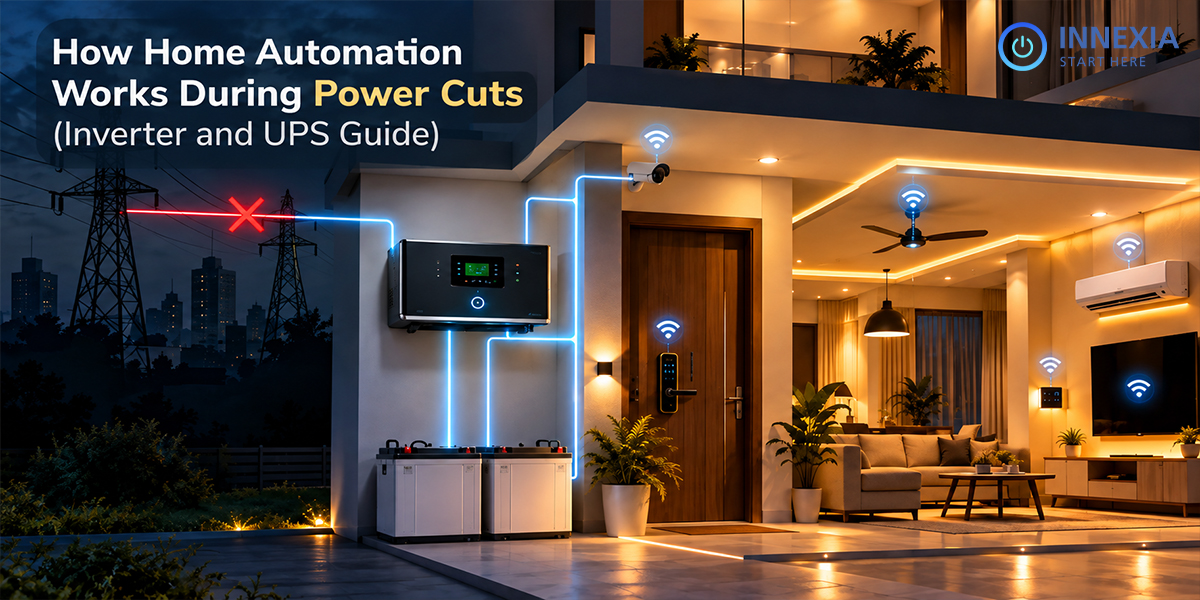
A power outage can affect more than your lights and fans. You can have your smart home hub turn off, your WiFi go out, and your app-controlled devices disappear.
But with essential equipment also having back-up power and desired functions being local, home automation can continue even during a power outage. The outcome will rely on the circuits being powered, the communication between devices and the speed at which your backup system switches over.
These elements should be considered before homeowners go into an automated home. This guide will discuss how an inverter or UPS can help in a smart home, what to backup first, and how to ensure that your setup works as you want it to.
What happens to home automation when the power goes out?
A smart home is a blend of devices that have various power demands. Some use domestic power, others have their own batteries. Having one part functioning doesn’t automatically mean the entire system is working!
Component | What happens without suitable backup |
Automation hub | Hub-dependent scenes and device coordination may stop |
Router and access points | Devices lose the local network they depend on |
Fibre ONT or modem | Broadband connectivity stops |
Smart relay and connected light | The light cannot operate if its supply circuit loses power |
Battery-powered sensor | It may still detect events, but its hub could be unavailable |
Mains-powered camera and recorder | Recording stops when required equipment loses power |
Battery-powered smart lock | Supported local unlocking can continue while its battery lasts |
Imagine a corridor light that is controlled by a motion sensor. The sensor can be powered by batteries, but the automation must have a working controller, communication path and a powered light circuit.
Power Cuts and Internet Outages Are Different
Your local network will continue to function without the need of your broadband connection. The lights, sensors or scenes can still be controlled locally processed automation.
Exposed to affect by cloud-dependent functions. These include, but are not limited to, remote access, notifications in the cloud and some voice commands. The documentation of Home Assistant is a good example of this: local integrations are not internet-dependent, while cloud integrations are. Behaviour is platform and device dependent.
When electricity fails
Backup power is necessary. An automation that requires no internet will not operate on an un-powered light or hub/switch.
If a home doesn’t have Internet access, have your installer tell you what scenes are performed locally, and what equipment each scene will use.
Innexia’s smart home components page details Zigbee-based communication and offline operation of several components. When planning the system, verify the operation of the devices and routines that you have selected, such as power consumption.
If you’re looking to create a smart home, you need to understand the difference between an inverter and a UPS.
Both an inverter and a UPS supply battery backed power, but they may be used for different loads, take different types of batteries, and switch between the batteries differently. More than the label, the product specifications count.
Selected house circuits are supported by an inverter:
A house inverter is usually used to power these selected lights, fans and plugs via a separate circuit. To automate the circuit, the circuit should contain the proper hubs, controllers, and loads.
For instance, if a light is on a circuit with only mains power, then back-up of a smart relay’s control equipment is not enough.
Selecting an inverter for home automation involves checking the continuous watt capacity, battery compatibility, output waveform and switchover specification. Pure sine wave models offer a more sinusoidal AC power output, ideal for a lot of domestic devices and sensitive electronics, so check the compatibility with the equipment you wish to connect. Luminous discusses how to choose a sine wave inverter.
UPS: Ensuring Power Continuity for Critical Equipment:
A UPS for a smart home system can help the smart home equipment hub, router, network switch or recorder in case of a power interruption.
Check these specifications:
· Maximum output in both watts and VA.
· Running time for your anticipated load.
· Transfer time.
· Battery-mode output waveform.
· Compatibility of the equipment to be connected.
The switching interval of most standby and line interactive designs is short. In an online double-conversion UPS design, that time when the incoming AC is lost can be avoided and the UPS operates normally in online mode. Schneider Electric’s documents explain the behaviour of the Schneider Electric UPS families.
Is it possible to power an inverter and UPS at the same time?
Sensitive network equipment can be restarted only by a dedicated UPS which can bridge the inverter transition. But the setup must be compatible: some UPSes might not accept the output of the inverter or may cycle between operating modes.
Ask the installer to confirm the exact models and test the set-up under a ‘live changeover’.
The first thing that should be backed up is…
Limit the number of functions to a small number of functions that are most important during an outage.
1. The hub and communication equipment
Support automation hub and network devices that control it. If devices rely on nodes or access points, make sure to add them.
If you have a powered router in 1 room and an unpowered access point in another room, it will not work for powered devices in the other room.
2 Essential lights and fans
Select suitable areas like corridors, stairs, bedrooms and main entrance. Provide backup power to the necessary controllers and loads.
Having these circuits to run will be more valuable than running all the appliances.
3 The whole internet path
Include the router and any separate modem/fibre ONT if you wish to connect remotely during a power failure.
Your Internet access provider’s network should also stay up and running. Upstream outages cannot be overcome with household backup. A mobile failover connection that is compatible with the system might be of benefit depending on coverage and configuration.
4 Security equipment
For CCTV: Power supply, camera, recorder, and any PoE Switch that provides power to a camera. The dependency of local recording is different from that of remote viewing.
Check battery function, battery low, emergency access and safe exit function for the specific model for locks.
How to Calculate Smart Home Battery Backup
There are two separate questions relating to sizing:
1. Is the connected load within the range of the inverter / UPS?
2. Will its battery hold up for the length of time?
Construct the load components that are to be supported. Add on the loads to be supported (Step 1)
This is an example of the kind of case an AI can handle:
Step 1: Add the loads you want to support
Here is an illustrative example:
Equipment | Assumed load |
Router | 10 W |
Fibre ONT | 8 W |
Automation hub | 7 W |
Three LED lights | 27 W |
One fan | 35 W |
Total | 87 W |
These are example values, not specifications for Innexia products. Measure actual consumption where possible. An adapter’s rating may represent maximum output rather than normal operating consumption.
Include startup requirements and capacity headroom. Schneider Electric’s UPS buying guide recommends checking output watt capacity as well as VA, with additional capacity above the expected load.
Step 2: Estimate usable battery energy
A simplified planning calculation is:
Estimated runtime = usable battery energy in watt-hours ÷ average total load in watts
Suppose a battery system provides 240 Wh of usable energy after discharge limits and losses:
240 Wh ÷ 87 W ≈ 2.8 hours
This is an estimate, not a warranty. Runtime is influenced by battery ageing, temperature, self-consumption by inverter and converter losses. Don’t double count system self-consumption, either in the usable energy calculation or as a load.
Verify your plan with manufacturer’s run time data and controlled test. Don’t just look at mAh when comparing batteries, as voltage is also important.
Choosing a Router UPS
A router UPS can provide compact backup for compatible DC-powered networking equipment. Before purchasing one, check:
- The required output voltage.
- Connector dimensions and polarity.
- Output current capacity.
- Support for multiple devices.
- Runtime with the router and ONT operating together.
Fitting a connector doesn’t make it electrically compatible. Check both the router and ONT for their voltage requirements or connectors.
A proper AC UPS can hold the original adapters for AC-powered devices. Use runtime and compatibility, not battery capacity, in deciding.
Why Devices Sometimes Restart Despite Backup
A backup system can bring the power back on fast enough for a light to seem on without interruption to the power supply while a router or hub is rebooting.
Occurs when the switching gap is greater than the device’s power supply can handle. This re-start could lead to access to the app being delayed, reconnection to the device, or execution of the automation.
The transfer time will vary depending on the model. For instance, Luminous guarantees a switch-over time of less than 15 milliseconds for one model of inverter, but this is not a universal or guaranteed switch-over time for all inverters, and should not be taken as a guarantee that all inverters will remain in service. If equipment turns on during changeover, verify supply path, inverter mode and compatibility with a dedicated UPS.
Test What Happens When Power Returns
Outage planning should include recovery.
Depending on their settings, smart bulbs and relays may restore their previous state, remain off or switch on when electricity returns. Check that behaviour for each device.
Ask your installer to conduct a controlled test that verifies:
- Essential lights and controls operate during the outage.
- Local scenes work with broadband disconnected.
- The router and hub remain running or recover predictably.
- Required cameras continue recording.
- Devices reconnect after power returns.
- Appliances resume in an appropriate state.
Keep a usable manual control option and make sure household members understand it. Changes to backup circuits and mains wiring should be handled by a qualified electrician.
Planning Home Automation with Innexia
Backup planning should be done in conjunction with automation design. What can be used during an outage depends on the room layout, controller location, circuit selection and communication paths.
Discuss your plans for your controls and routines with Innexia’s smart home automation solutions. Please have information about your current inverter, battery, broadband and other essential circuits available to be assessed by the team to work out what is required for your installation.
Seek clarification as to functions that are local, which require internet, and how equipment will perform when changing over.
Keep Essential Automation Working During Power Cuts
A powered control system powered essential circuits and working communication paths are essential for reliable home automation during a loss of power. Those functions are provided by adequate inverter capacity and battery runtime, and by compatible UPS backup to keep equipment operating during changeover.
Use functions that are most frequently needed, dimension the backup to meet their full needs, and test the outage and recovery.
New construction or home improvements? Call Innexia to discuss your smart home automation needs and involve power cut operation in the conversation.
Conclusion
A smart home will only function during a power outage if the router, the hub and the power circuits that the house relies on are equipped with back-up power. Selected lights and fans are kept on with an inverter and compatible UPS equipment helps sensitive equipment such as routers and hubs remain online during the changeover. Calculate the battery size for the full load, verify the no internet routines and test outage and recovery. Be sure to have manual control in everyone’s home. To properly plan this, reach out to Innexia and discuss power-cut operation with your smart home automation design.