
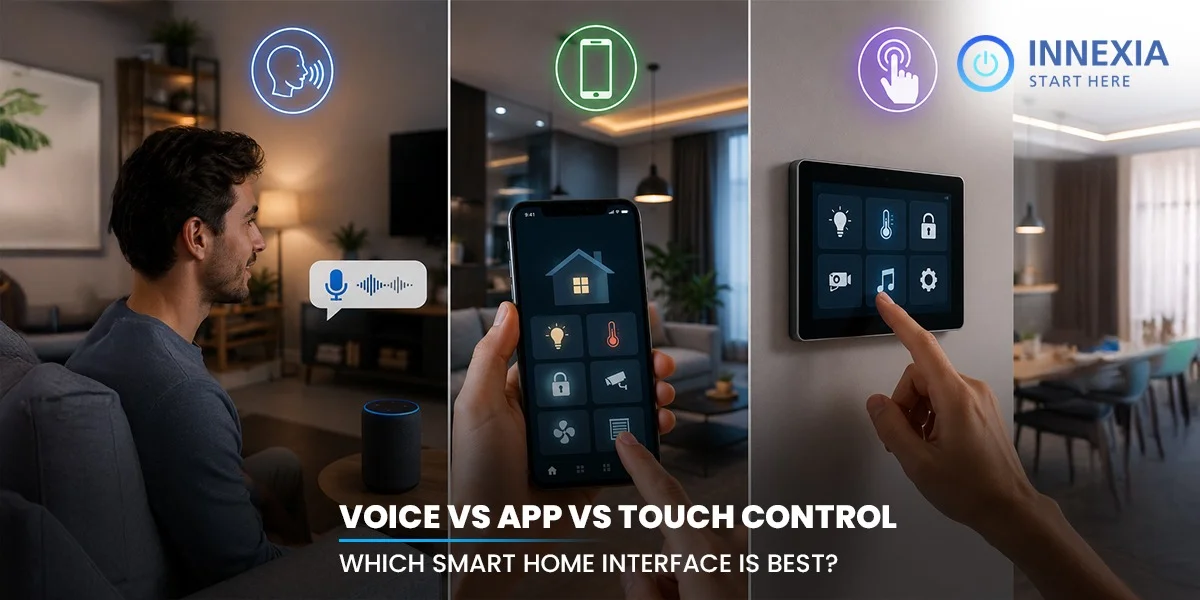
Modern residences react faster than ever. A single command or touch can control lights, curtains, the security systems, and entertainment devices. Smart Home Automation has revolutionized the way homeowners interact with their homes on a day-to-day basis.
Regardless, the convenience is dependent upon the control system that underlies the experience. During hectic routines, some homeowners prefer to use voice commands. Others wish to have more precise control by means of touch panels or mobile applications. Each interface is a different experience within the home.
Your lifestyle, comfort, and daily habits should drive your decision. A family might require basic controls, and someone with a lot of work might want to control via apps from a distance. This blog provides an explanation of Voice, App, and Touch control. It also details the advantages of each and which smart home interface works best with this type of lifestyle.
How Different Smart Home Control Systems Work in Daily Life
There are various ways of controlling a smart home today in one system. Several types of control can be implemented in a smart home system in the modern world. Lighting, curtains, air conditioning, and security are available to be controlled in a room at home using voice commands, a mobile phone app, or touch panels. All interfaces affect the speed and ease of household activities.
Voice-Based Control
Voice Control is the use of speech to control devices. After just seconds, connected assistants can turn on the light, set room temperature, play music, or set routines.
This will help reduce the number of manual control points or physical switches that are required during the course of the day.
Touch Panel Control
Touch panels mount right on your wall, so you can control your entire smart home without fumbling with complicated remotes. The user won’t need to open an application and make a command; he or she can control multiple devices from one location.
Many smart homes will have these panels near the front door, bedroom, or living space so that they can be accessed quickly.
App-Based Control
Mobile Apps are a way for homeowners to access their smart home systems from a remote location. Control cameras, lock doors, set lights, and control appliances from a smartphone.
The app control feature also helps in programming the parameters while traveling or from home.
What’s the significance of the interface selection?
These control solutions will create a unique home user experience. Voice control is all about speed and ease. Easy and organized access is available on touch panels. Mobile Apps are handy and easily controlled from afar.
All three interfaces are frequently used simultaneously in Modern Smart Home Technology for seamless management of day-to-day operations.
Voice Control in Smart Homes: Advantages
Voice-controlled systems make all daily use of the smart home more feasible. Voice control for lighting, entertainment, climate and appliances. This interface can minimize manual workload and establish quicker control in various rooms.
- Hands-Free Control for Everyday Tasks
Enable users to operate devices via speech input when cooking, cleaning, working or carrying things. Lights, fans, curtains, and music may switch on and off instantaneously, without pushing a screen or pressing a button. - Faster Access to Multiple Devices
Everything you need is started up with one simple command all in one! The user can schedule routines (like “movie mode” or “good night mode”) which will alter lighting, air conditioning, entertainment and more in concert. - Improved accessibility for elderly users.
Voice-based systems reduce the need to use switches or a mobile screen. Elderly members of the family can play important roles more easily with simple instructions. - Easy Smart Home Automation Experience
Voice control is more intuitive and convenient for communicating with the home. The ultrafast commands enhance the convenience when carrying out daily activities and can also save repeated manual operations at home. - Easy Integration With Smart Devices
Today, your voice assistant devices handle it all. Dim the lights, change the channel, check your security cameras, adjust the thermostat, and run your entire home entertainment. This helps to create smoother control in one connected ecosystem.
Why Touch Panels Matter in Smart Home Automation
Touch panels form a more organized user interface for controlling smart homes. Users can see all the screen options, rather than having to voice them out to choose actions. This helps to make the control of the device more precise and quicker during normal use.
Many people use touch panels throughout their home as a control station for their home’s lighting, curtains, air conditioning, security, and entertainment systems. From one screen, you can control every room in your home without reaching for a single switch or jumping between apps.
The touch-based control is also very good when voice control is deemed impractical. Voice recognition may fail in noisy environments, such as a crowded room with the television on or several conversations taking place simultaneously.
Guests and older family members tend to warm up to touch panels much faster. The controls are visible, organized, and easy to understand, and don’t require app setup or familiarity with the voice assistant.
High-quality touch panels also make a stylish addition to contemporary smart home interiors. A tidier appearance is achieved throughout the home with minimal switchboards and less clutter on the walls.
Benefits of Managing Smart Home Devices Through Mobile Apps
Mobile apps allow homeowners to have access to their entire smart home system through a single platform. Users can check, manage, and program devices without being within the home. This flexibility is a key factor for the operation of a smart home and control applications are an important part of the smart home of tomorrow.
Remote Access From Anywhere
Mobile apps give users the ability to control a device from afar, both away from home and work. Their owners can use their cell phone to turn on and off lights, control the air conditioning, view cameras and even lock or unlock doors.
Centralised Device Management
Smart home apps are apps that integrate a number of systems into one. You can control the lighting, entertainment system, temperature, curtains, and security all through the same system.
Optimized scheduling and automation.
You can create schedules based on your own daily routine. Program times for your devices to switch on and off in the morning, or to wind down in the evening, or to switch on and off at certain points during your day.
Real-Time Security Monitoring
Smart home management via the app enhances visibility and control of the home security systems. You get instant alerts, camera access, and notifications pushed straight to your smartphone the moment something happens.
Better Control Personalisation
Some home automation software systems enable users to tailor the settings for various areas and schedules. Brightness, temperature, and entertainment modes are adjustable to personal tastes.
Voice vs. App vs. Touch Control: Which Smart Home Interface Fits Best?
The smart home interfaces will be used differently in day-to-day life. Voice control makes it easier, with hands-free operation. Touch panels provide instant and correct access to the home. Mobile applications provide flexibility with remote management and automation options.
Feature | Voice Control | Touch Control | App Control |
Main Advantage | Hands-free convenience | Fast direct access | Remote accessibility |
Best Use Case | Multitasking activities | In-room device control | Managing devices outside the home |
Ease for Guests | Moderate | High | Low |
Response Method | Spoken commands | Physical interaction | Mobile interface |
Internet Dependence | High | Moderate | High |
Security Control | Limited direct access | More controlled interaction | Full monitoring access |
Daily Convenience | Quick routine actions | Reliable everyday use | Flexible scheduling and automation |
Modern home automation technology performs better when these interfaces work together instead of independently. A balanced smart home setup creates smoother control, better accessibility, and a more connected living experience throughout the home
Conclusion
Smart home interfaces dramatically change the way technology fits into our lives. The control will influence consumers’ interaction with lighting and security, entertainment and curtain and climate control throughout the home. Today’s homeowners demand systems that are well-organized, responsive, and manageable throughout the home.
The homeowner of today has greater demands for his home than ever. They desire an interior that is cleaner, organized control, access, and tech that is part of their lifestyle.
Innexia creates smart home automation solutions that are based on smart technology and provide everyday comfort. Innexia designs connected living experiences to meet the needs of today’s homes, ranging from advanced touch panels to app-controlled automation and integrated voice solutions.
Experience smarter living with Innexia.